 Glide Vizion
Plugins
Plugins extend NVR without changing the core daemon — forward events to your own systems, add panels to the UI, or build something custom. Every plugin declares exactly what it’s allowed to do, and you approve those permissions before it runs. The Plugins page (admin only) is where you browse, install, and manage them.
The marketplace#
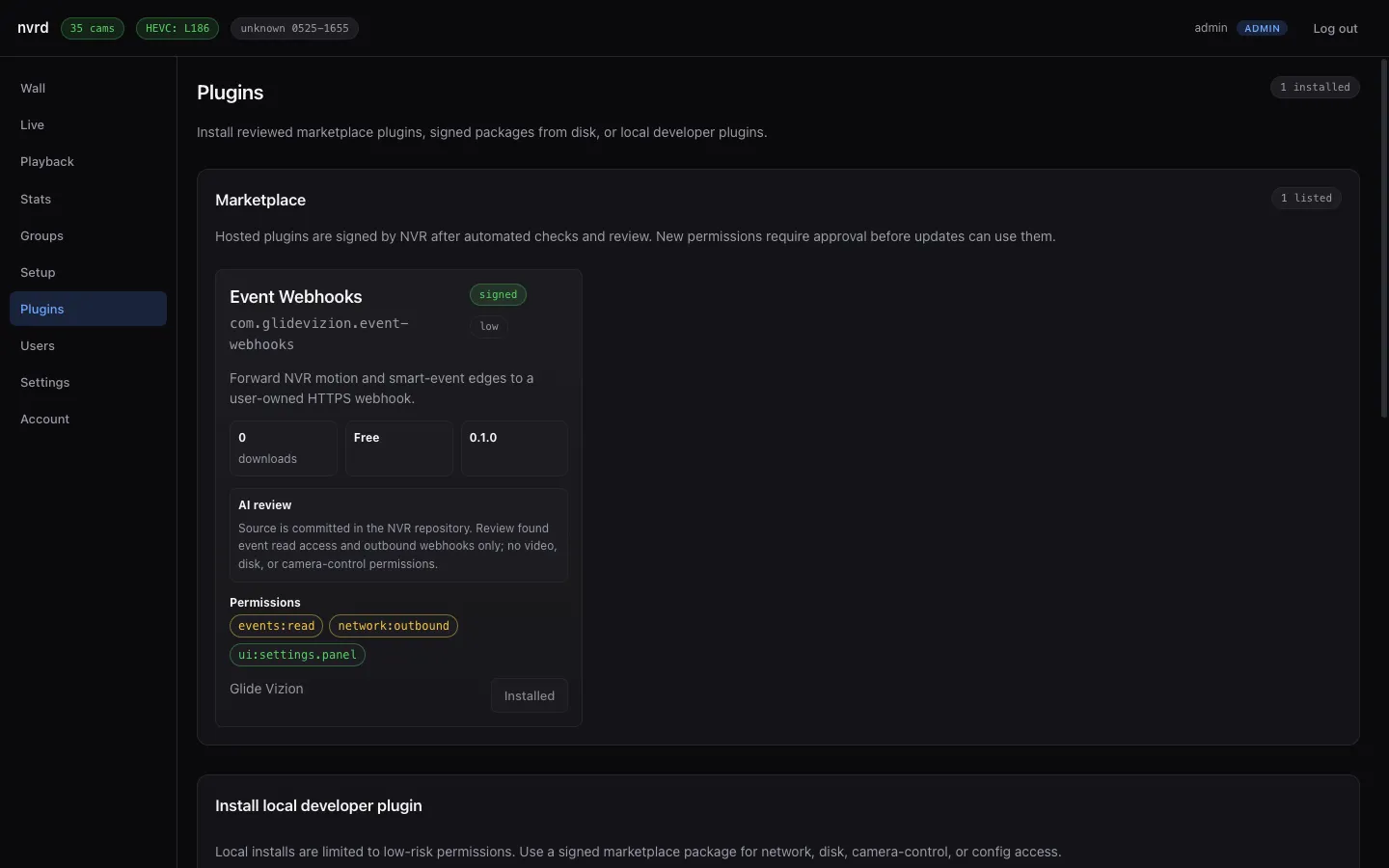
Marketplace plugins are signed by NVR after automated checks and a review pass, and each listing shows its risk rating, an AI review summary, and the full list of permissions it requests. New permissions on an update require your approval before that update can run.
Paid plugins also require a signed license entitlement for that plugin before NVR installs or updates them. Free plugins do not need a plugin entitlement.
Permissions#
Every plugin runs against a fixed set of capabilities — reading events, contacting the network, adding a UI panel, and so on — each tagged low, medium, or high risk. You see the exact set before installing, and:
- Marketplace and signed packages can request any permission they’re signed for.
- Local developer plugins are limited to low-risk permissions by default. Developer mode can allow reviewed permissions after an explicit local risk acknowledgement.
Installing a plugin#
There are three paths, in order of how most people use them:
- Marketplace — one click to install a reviewed, signed plugin. This is the normal route.
- Signed package from disk — point NVR at a reviewed package you already downloaded.
- Local developer plugin — point NVR at a folder while you’re building one (low-risk permissions only).
Installed plugins can be enabled or disabled at any time from the same page. The same view shows sidecar runtime status, logs, token rotation, config proposals, and marketplace updates when a newer signed version is available.
Creator review#
Signed-in creators can submit plugin listings and release package metadata for review, or rotate a scoped gvp_... creator key for CLI/GitHub Actions release submission. Marketplace operators use a separate PLUGIN_ADMIN_TOKEN-guarded API to list pending releases, sign submitted packages with the PLUGIN_PACKAGE_PRIVATE_KEY Worker secret, reject unsafe releases, or publish a reviewed signed package URL into the catalog. The same operator boundary lists pending plugin payout rows and marks external transfers paid or failed. Creator sessions and creator keys cannot approve, publish, sign releases, or update payout status.
Example: Event Webhooks#
The bundled Event Webhooks plugin forwards motion and smart-event edges to an HTTPS endpoint you control — wire NVR into Home Assistant, a notifier, or your own service. It requests only events:read, network:outbound, and a settings panel; it has no access to video, disk, or camera control, and the review summary says so. Configure it with your webhook URL (and an optional shared secret for signed requests) from its settings panel.